Course Templates for MBA Pro+
Canvas page templates for SFBU’s practice-based business programs, and a full course built from them.
What It Is
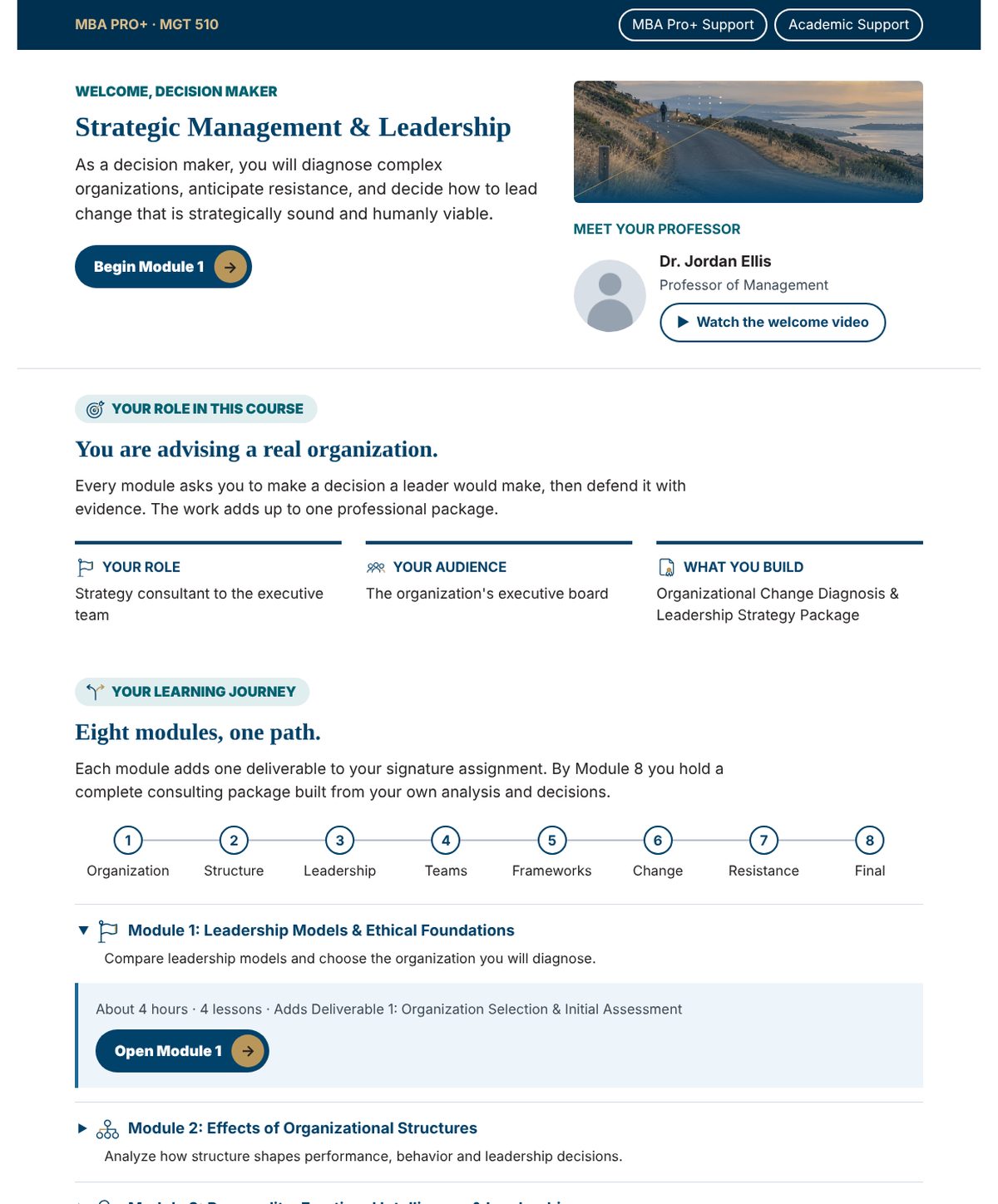
MBA Pro+ is a set of SFBU business programs built around practice. In each course the student takes on a professional role, such as a strategy consultant advising the executive board of a real organization. Every one of the eight modules adds one deliverable, and by the end the student holds a complete professional package built from their own analysis.
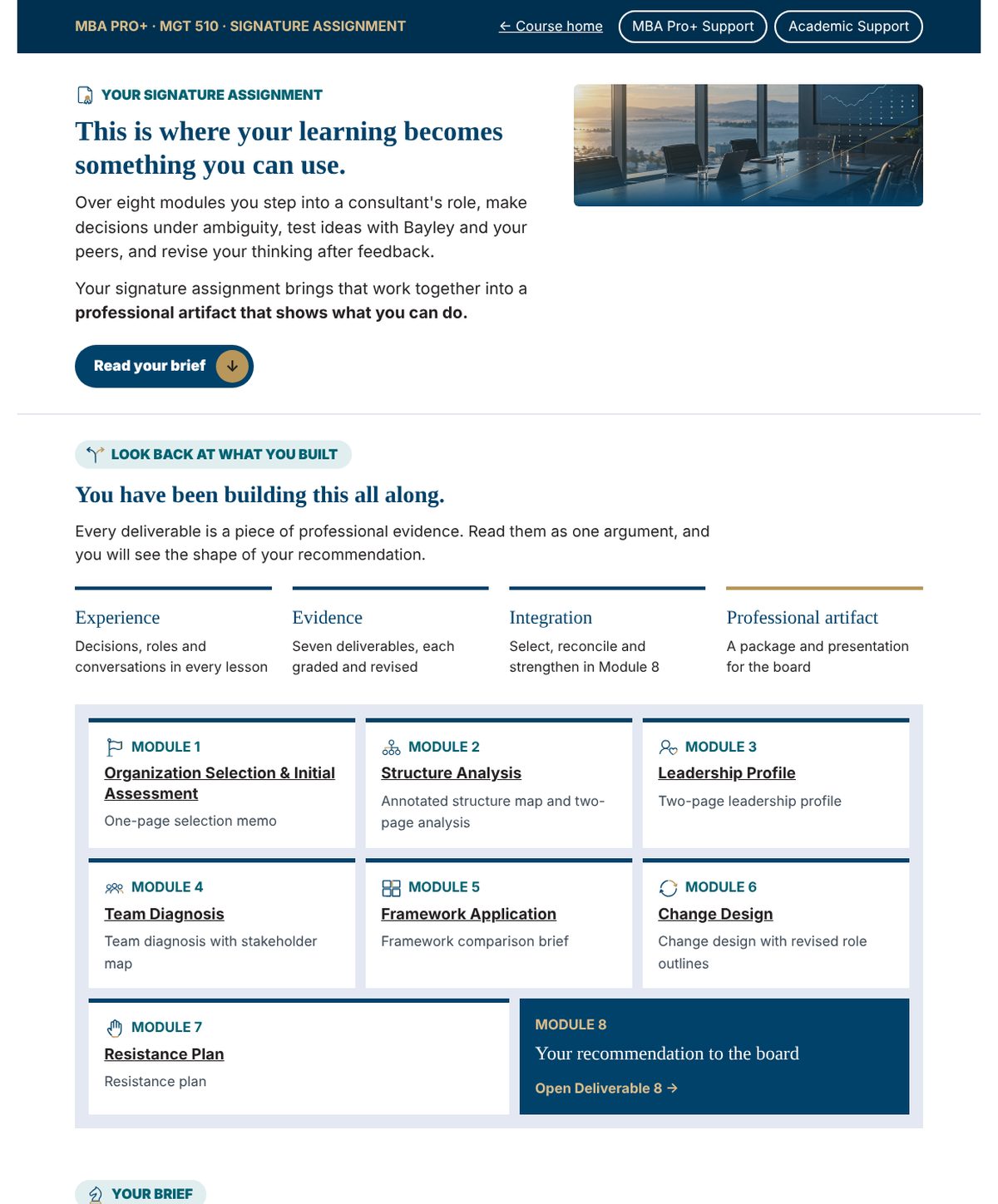
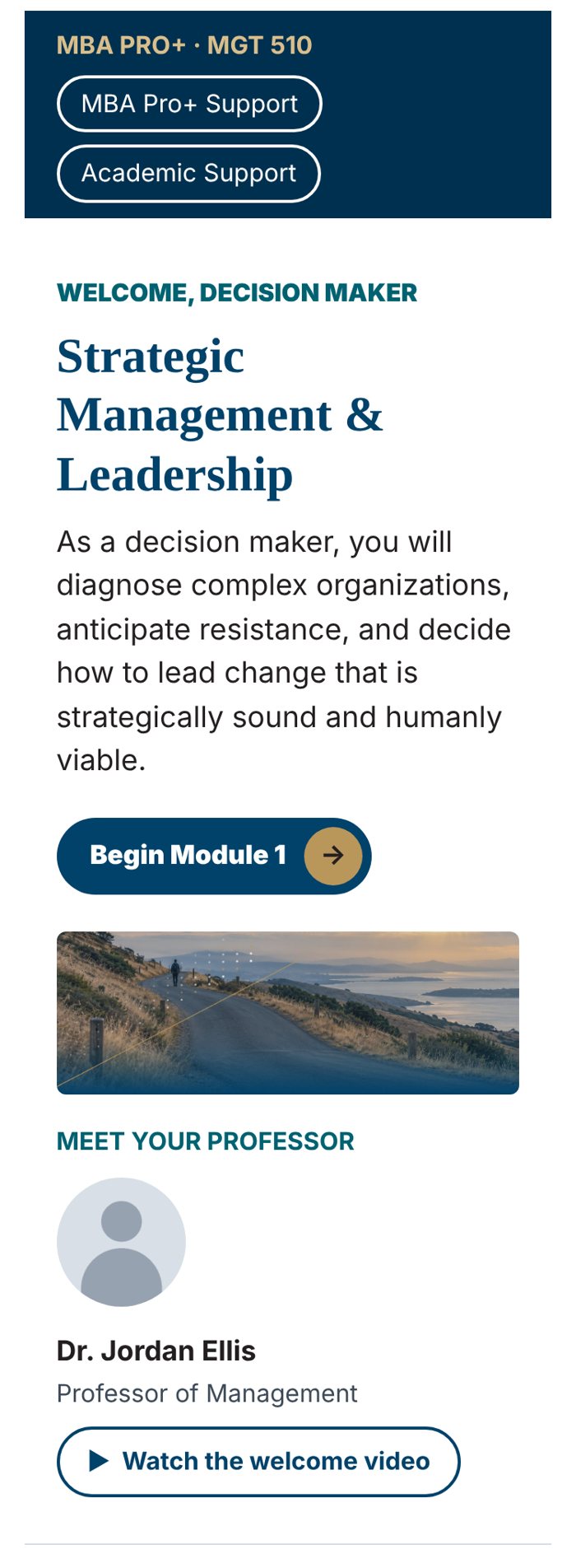
We designed thirteen Canvas page templates for these courses, from the course home page to the page for each deliverable. We also built a full template course to show them in use. Its first module is filled in with a sample course on strategic management and leadership. Every lesson follows the same four phases: build understanding, apply what you have learned, build professional evidence and strengthen future decisions. Students can test an idea at any point with Bayley, SFBU’s AI coach.
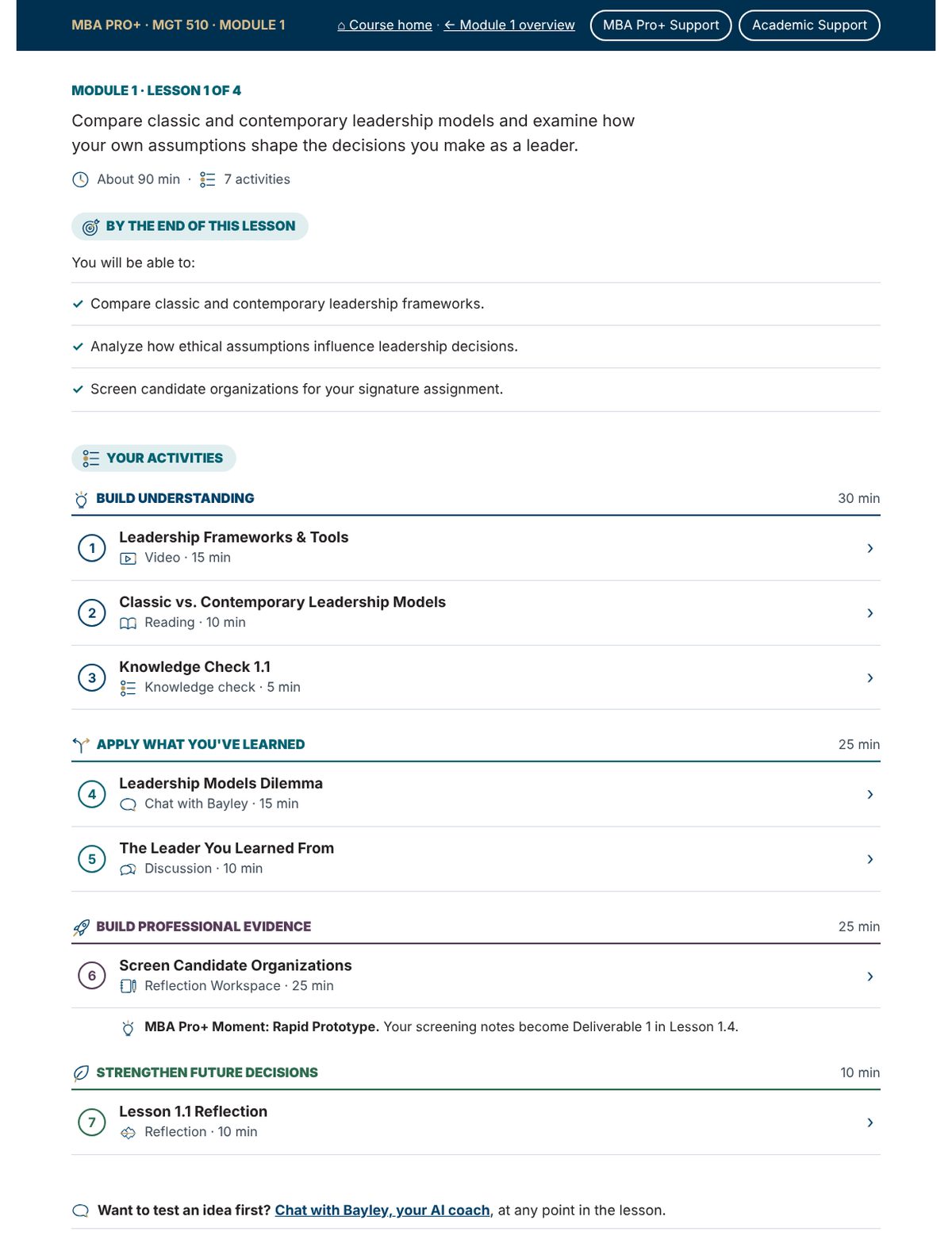
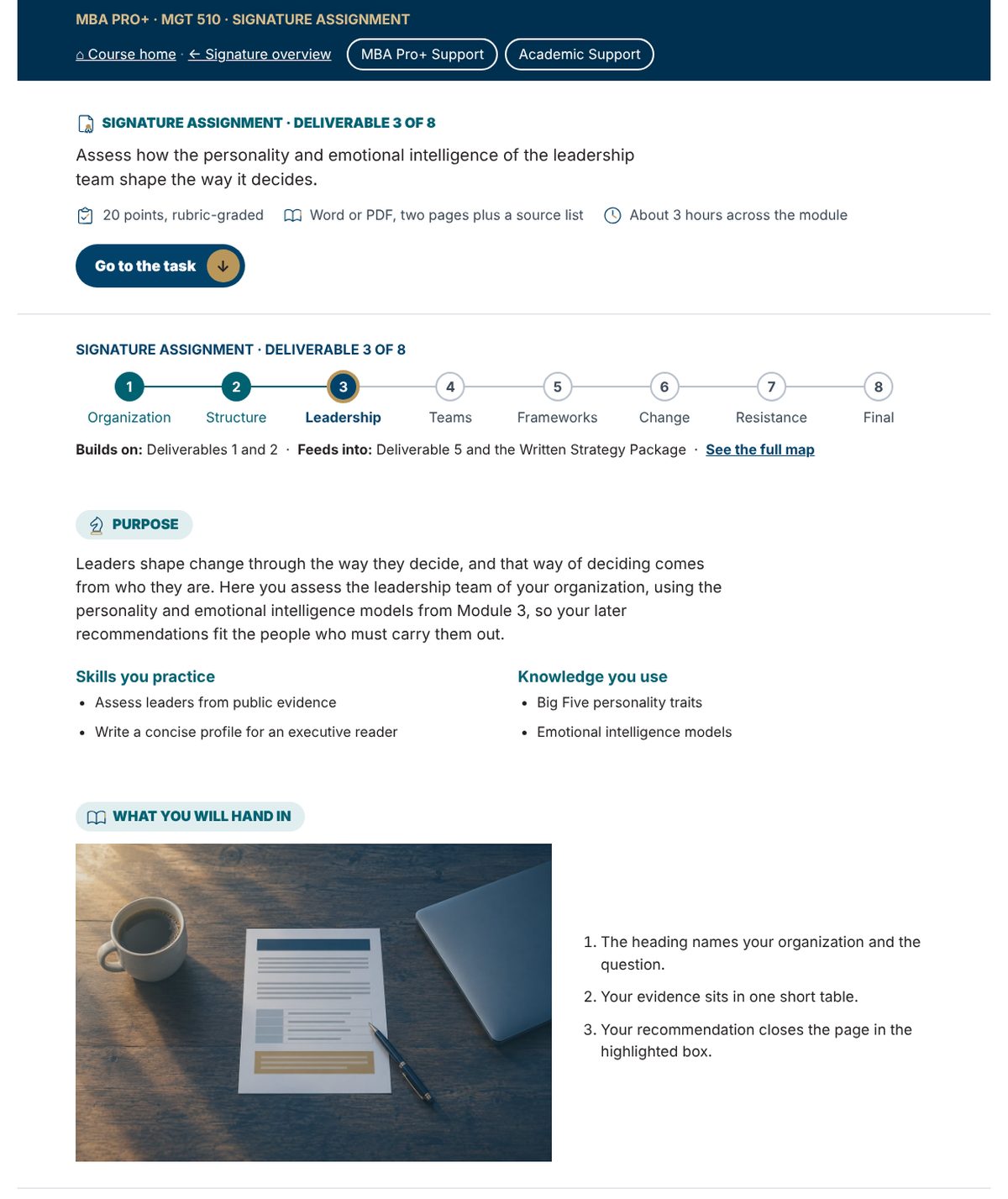
The templates went through several rounds. One review showed how far a student scrolled on a phone before reaching anything to click. Every page now opens with a label, a title, a short paragraph, one line of facts and the main button. On a phone, the first button on a module page is now about 750 pixels from the top, down from more than 2,300. A Canvas page cannot know whether a student has finished a step, so the progress track shows only where the student is.
On a Phone
Most students open Canvas on a phone. Every Pro+ page was checked at phone width. The layout stacks into one column, no text falls below 14 pixels and the main button comes before the pictures.
What Comes Next
The Pro+ templates are being tested in a sandbox course before the first courses are built from them. If you would like to see how these pages are built, or talk about the Canvas sites at your own institution, write to me.
Write to anzar.khaliq@sfbu.edu.